The Interface the AI Couldn't Design
How We Build
Andrey Balbekov builds design systems at Fantasy. On his own time, he used Claude Code to build ZenVizio, a working node-based tool for his brother's architectural-visualization work in New York.
Every feature he asked for worked on the first try. Then Claude Code stacked every control into one long scrollable modal, with no clear way to use it.
Sorting that out took a designer's judgment about how the tool should work for the person using it. This is how he built working software with AI, and the part he still had to design himself.
The problem
Andrey's brother works in architectural visualization in New York and needed a tool that connected multiple AI image APIs into one pipeline. He'd been working in Flora, which chains services like NanoBanana and Kling together, but it covers every use case at once. He paid for options he never touched, while the moves specific to his work, the way he stages and presents a room, weren't in it.
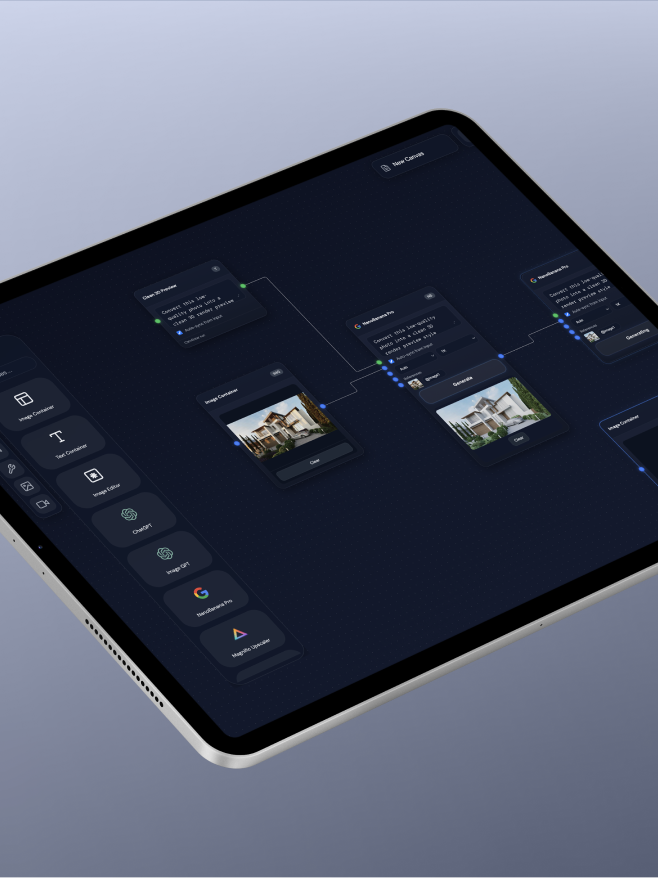
Andrey had been using Fantasy Canvas, our team's proprietary node-based tool, and saw a chance to build something that spoke the vocabulary of interior and exterior design: room types, staging, materials, the way a designer briefs a space.
What made you actually do this?
"Same as a lot of people in my industry, I was watching all the AI hype, everyone building and showing off some tool. I wanted to try it myself instead of watching from the side.
"My day-to-day client work is confidential AI projects, so I couldn't experiment with Claude Code on that account. I needed something to build on my own time.
"My brother works in architectural visualization in New York, and spent a lot of his time in Flora. It gives you a huge range of options, and most of them didn't fit what he needed day to day, while the things specific to how he stages a room weren't there. I'd been using Fantasy Canvas, our own node-based tool, and I thought: why not build on the same principle, but for one domain?
"Architectural visualization became the test case, with a real workflow and a real user, my brother. I called it ZenVizio."
How the features found him
Andrey built ZenVizio around how a designer actually works, so the features carry rules a general tool has no reason to know.
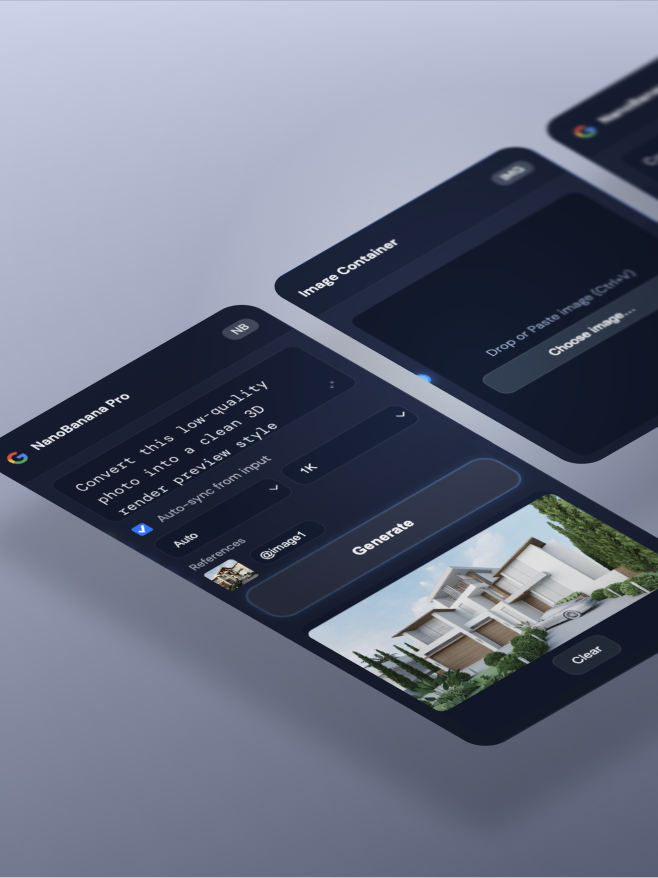
"Scene Preset" replaces the blank prompt box with a structured brief: room type, lighting, location mood, a material palette, even a furniture brand, so "Minotti for the sofa" means something to the tool. "Lock Architecture" holds the walls and layout in place while the furniture and finishes change, which is the request that comes up most in this work and the one a general image model struggles to guarantee.
Those were product decisions Andrey made before any interface existed. It's a design-systems habit pointed at a new target: break the domain into reusable pieces, a preset, a lock, a parse step, the way you would build a component library.
He built the design system first
That same habit shaped the build itself, before any of the features existed.
"As a product designer working with design systems, the first thing I did was set up a design system file with all the UI components: buttons, inputs, modals, node shells. That way I'm not asking the AI to build the same button or the same modal over and over, which also burns through tokens. It keeps everything consistent, and when I want to change how something looks later, I update it once in the system instead of hunting it down across every feature."
Cloud, local, and the knowledge base
The first big decision was whether the tool should live in the cloud or run on his machine.
"Paid APIs mean secret keys, and putting the tool in the cloud creates security risks, because anyone could potentially reach those keys. So I built it as a local app. My keys for NanoBanana, Magnific, whatever I plug in, never leave my machine.
"I also learned to keep a kind of knowledge base for the product: documentation that tells the AI what the system is, how it's built, and why. Coming back after a break, it can read that and understand the whole project instead of scanning everything from scratch."
In ZenVizio that lives in one file: what the app does, the node types, how images move between nodes, and a log of gotchas worth remembering. His rule for what goes in it is simple: if you'd explain it to a new developer on day one, it belongs there. It gives Claude Code steady context, so it works like a collaborator who remembers the project rather than a new assistant relearning it every session.
The wireframe moment
Claude Code delivered everything Andrey asked it to build. What it couldn't do was decide how those features should sit on screen.
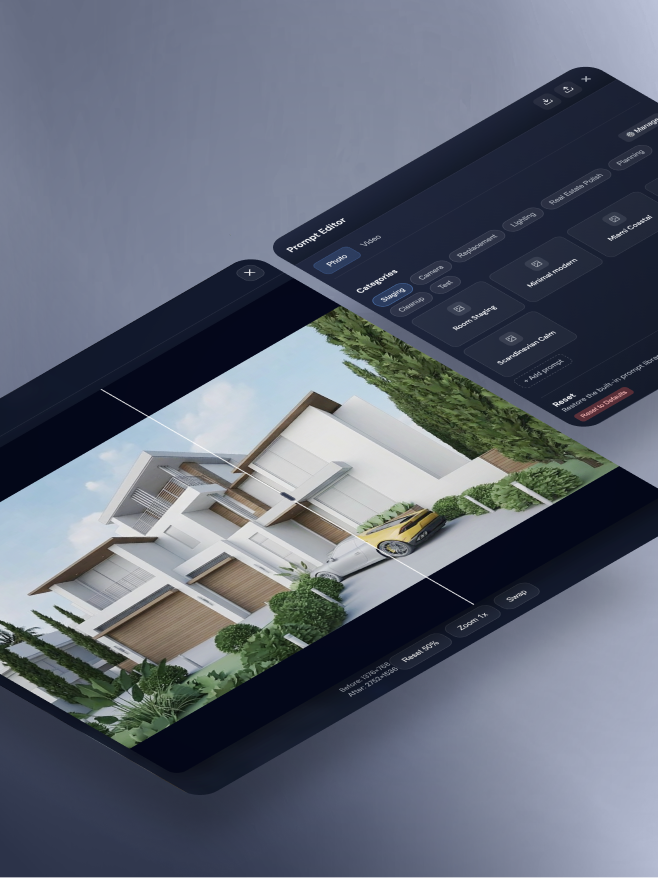
"I built a prompt editor with categories: staging, camera angles, replacement, lighting. The AI built it and it worked, but the interface was one long scrollable modal, everything stacked vertically. Every button was there, and it was still unclear how to use it.
"So I drew a rough wireframe in Figma, just boxes, and Claude Code rearranged the components to match it. That's when I realized you can shape how a tool works with a sketch and the words 'make it look like this.' I did it several times. Every time something worked but felt wrong, I'd sketch the fix and have Claude Code rebuild it."
The wireframe gives Claude Code a concrete target, which is faster than letting it guess. The understanding behind the sketch, how the designer on the other end works, still has to come from a person.
You can shape how a tool works with a sketch and the words 'make it look like this.'
Why nodes instead of a conversation?
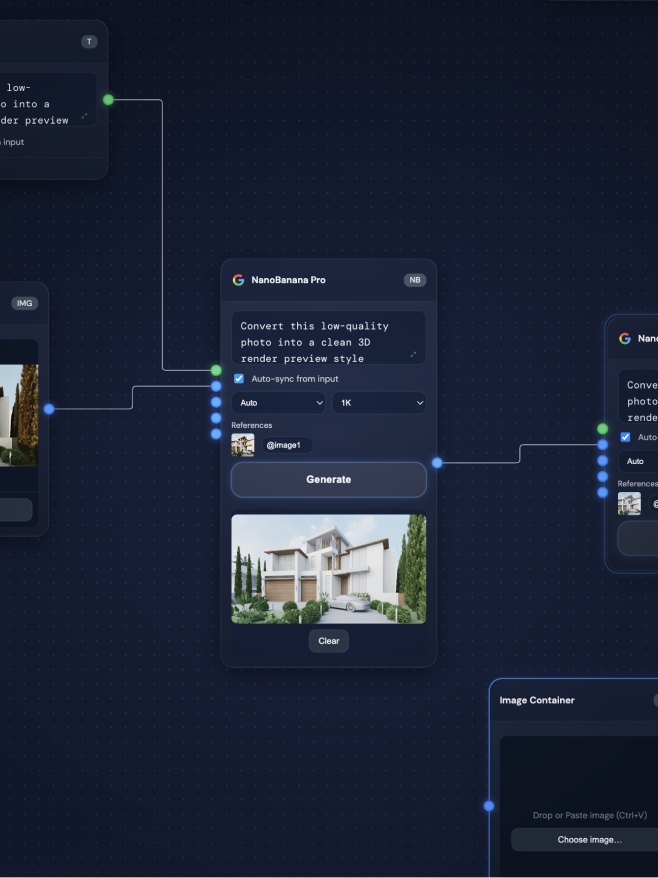
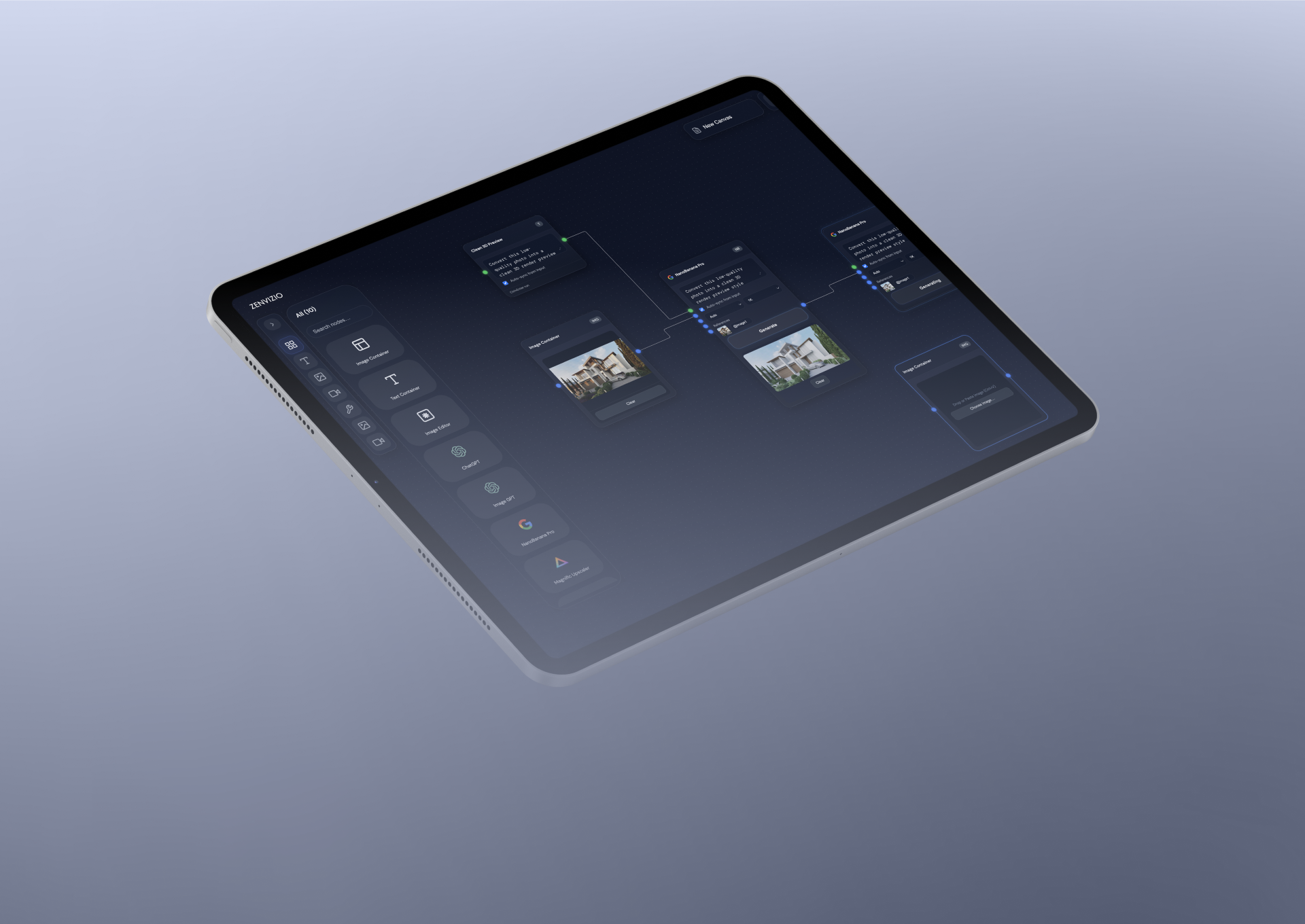
"A node structure gives you something a plain conversation with an AI can't. You control each step on its own, instead of everything happening at once inside one long exchange. You can turn a repeatable task into a single node, set it per project, and reuse the pipeline instead of explaining the same steps every time.
"That's what I want to bring into my work at Fantasy next: the same node thinking applied to Product Design and design-system work. A lot of what I do repeats. Generating components from tokens, checking accessibility, enforcing naming rules, auditing a file for hidden layers. Each of those could be its own node."
The prompt editor was the proof. Claude Code produced a single scrollable modal with every control stacked vertically. It worked, and it was unusable. Andrey drew boxes in Figma, and two iterations later the layout made sense. Claude Code could build anything he described. Telling whether the result fit the way an interior designer actually works was the product design, and that took a person with a sketch.
How to build a single-purpose local AI tool with Claude Code
Choose a workflow you run through several tools in a row, and build it for a real person. Andrey built for his brother's architectural-visualization pipeline, and that single user kept the scope honest.
Before any features, create a design-system file with the components you'll reuse: buttons, inputs, modals, node shells. Claude Code then works from one source instead of rebuilding the same parts as it goes, which also spends fewer tokens.
Document what the app does, the node types, how data moves between them, and a log of gotchas. Andrey's rule: if you would explain it to a new developer on day one, it belongs there. It gives Claude Code steady context across sessions.
Andrey built ZenVizio as a local app so the secret keys for services like NanoBanana and Magnific never leave his machine. A cloud version would expose the keys those paid APIs depend on.
Work out the real steps, describe each as its own node, and have Claude Code connect them into one pipeline you can reuse per project instead of re-explaining every time.
Claude Code can build every feature you ask for and still produce a layout that's hard to use. Draw a rough wireframe in Figma, just boxes, hand Claude Code the drawing, and have it rearrange the components to match, then judge the result against how the real user actually works.
Frequently asked questions
Because building a feature and judging whether it fits the way a person works are different problems. Andrey Balbekov built a prompt editor with Claude Code, and every feature worked on the first try, but the result was one long scrollable modal with every control stacked vertically. All the buttons were there, and it still wasn't clear how to use them. He drew a rough wireframe in Figma, just boxes, handed Claude Code the drawing, and two iterations later the layout made sense. Claude Code could build anything he described. Telling whether the result matched how an interior designer actually works was the product design, and that took a person with a sketch.
Setting up a design system first keeps the build consistent and stops you from spending tokens rebuilding the same parts. Before building any features, Andrey created a design system file with the UI components he would reuse: buttons, inputs, modals, node shells. That way he was not asking the AI to build the same button or modal again and again, everything stayed consistent, and when he wanted to change how something looked he updated it once in the system instead of hunting it down across every feature. It's a design-systems habit pointed at a new target, and it made the AI build faster and cleaner.